Years spent a month by website users

Years spent a month by website users

Tak­ing last month as an exam­ple (Sep­tem­ber 1st — Octo­ber 1st), one of my more pop­u­lar web appli­ca­tions was used by 332,174 unique vis­i­tors, spend­ing an aver­age of 6 mins 37 secs.

Work­ing from that fig­ure, 3.971 years are spent  using the appli­ca­tions per month!

Where did your disk space go? Space Disk Analyser

Where did your disk space go? Space Disk Analyser

If you’ve ever run out of disk space and faced the dif­fi­cult deci­sion of what files to delete or offload to DVDs or an exter­nal hard dri­ve, this pro­gram may help you.

Space from AndyH Software

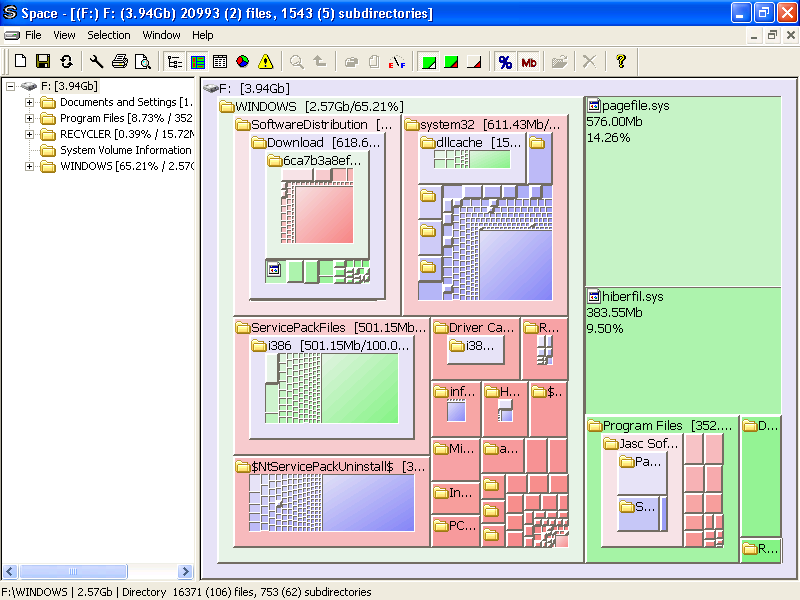
This soft­ware cre­ates a visu­al­i­sa­tion of your hard dri­ve so you can see how much space files and fold­ers are using. Click on the screen­shot to view an example.

For exam­ple, you may find that your tem­po­rary files are very large and delet­ing them would free up space. Or per­haps your pho­to gallery is so large that it is time to archive last year’s pho­tographs to DVDs or an exter­nal hard drive.

Space showing block mode with treeIt works with hard dri­ves, CD/DVD dri­ves, mapped net­work dri­ves and FTP accounts.

You can try it out in full by down­load­ing it from here. After 30 days you can decide to pur­chase it. The instal­la­tion is very min­i­mal and not bloated.

Download Space disk space visualisation software for free Down­load for Windows


**Note that this pro­gram has now been discontinued**

ClickHeat for webpage click heatmaps

ClickHeat for webpage click heatmaps

I recent­ly post­ed that I was try­ing out Click­Heat, and that I would write an instal­la­tion guide to help oth­ers install it.

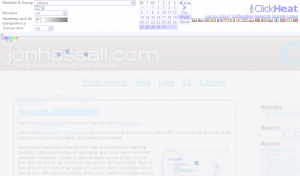
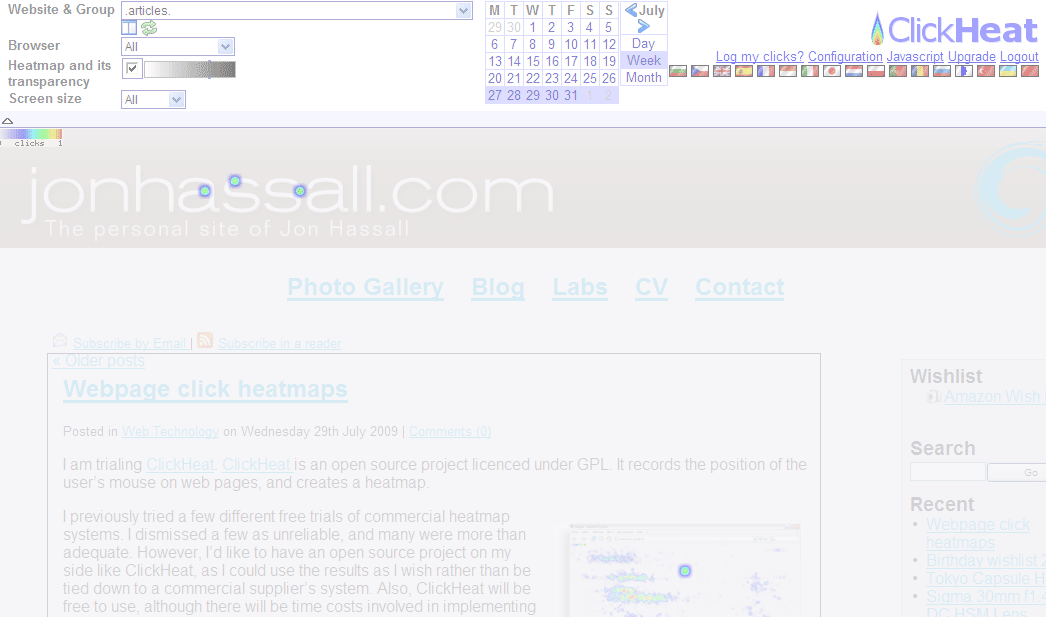
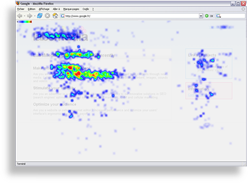
I have been using Click­Heat on my per­son­al site and a few high traf­fic web sites. It has already proved use­ful on this per­son­al site, as I noticed peo­ple had been click­ing the graph­i­cal head­er at the top of the page expect­ing to be returned to the home page. How­ev­er I had neglect­ed to set this up, so I quick­ly made the change. Here is the heatmap that indi­cat­ed this to me:

Screenshot of ClickHeat heatmap on my personal web site

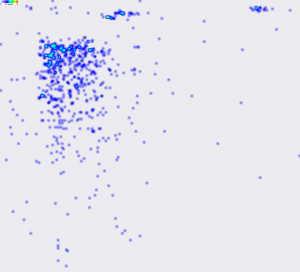
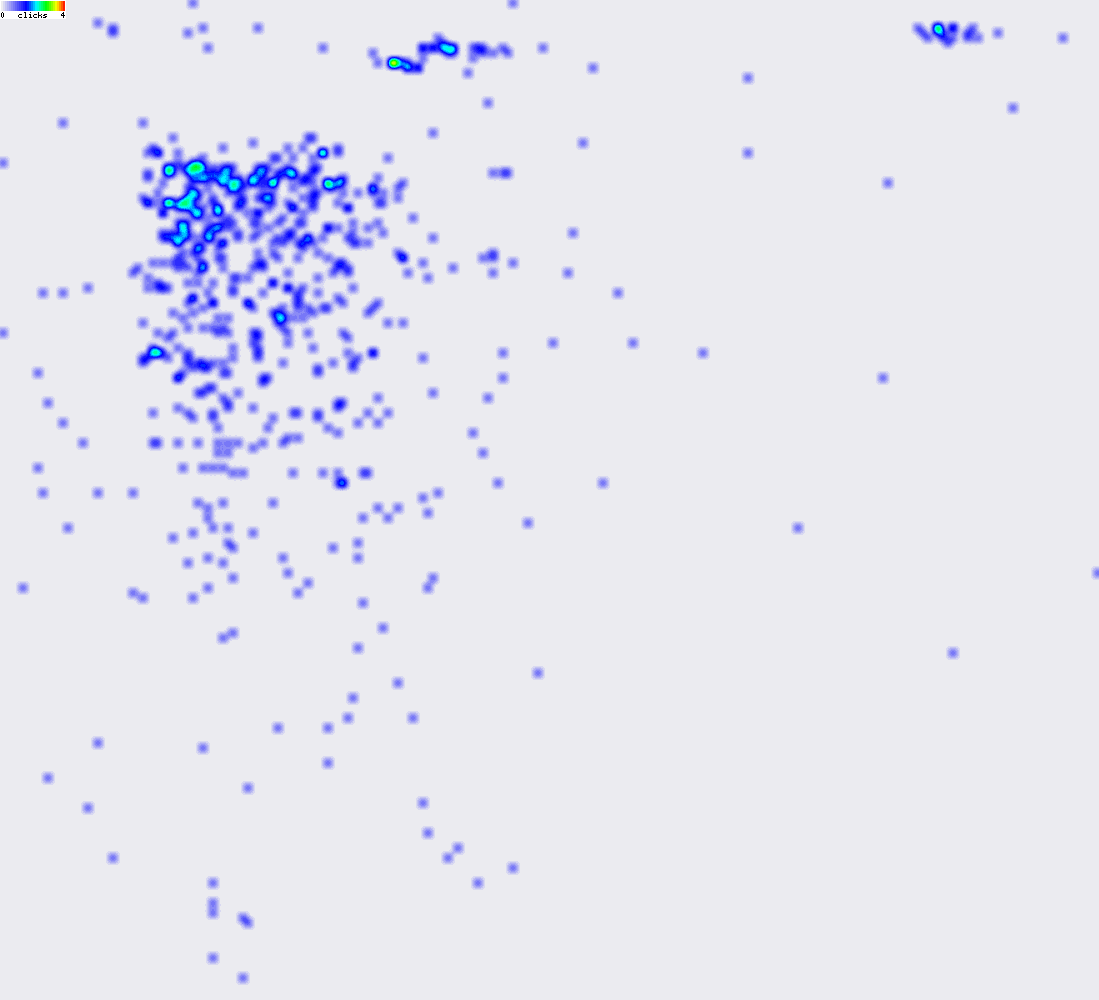
Here is a heatmap from a friend’s rel­a­tive­ly high traf­fic social net­work­ing web site:

Social networking web site heatmap

From this heatmap we noticed that most clicks were for open­ing mes­sage threads (as expect­ed), but were sur­prised by the num­ber of clicks to some of the more obscure options placed at the edges of the web site. As a result, the site is going to be redesigned so that these fea­tures are in the main left nav­i­ga­tion bar to make the web site eas­i­er to use.

The sys­tem uses a tiny 6KB JavaScript library, and record­ing clicks only used a few bytes of band­width. The admin­is­tra­tion web site works quick­ly and does­n’t seem to be a resource hog at all.

You can down­load Click­Heat from the offi­cial web site here. It requires PHP and the GD graph­ics library, and is a sim­ple install requir­ing no data­base. This UNIX per­mis­sion cal­cu­la­tor may come in handy when set­ting up direc­to­ry per­mis­sions so Click­Heat can write its log files.

I have noticed a prob­lem with the heatmap being aligned with the web site, and a sep­a­rate issue with elas­tic lay­outs cre­at­ing prob­lems with heatmap dis­play. There are already bugs raised for these issues on the project home­page, so they should be resolved in time.

A pop­u­lar com­mer­cial alter­na­tive is CrazyEgg. The arti­cles I have linked to will have much more infor­ma­tion on the wealth of extra fea­tures that it has.

If you have any suc­cess sto­ries from using heatmaps, I’d love to hear from you.

UPDATE: Paul Olyslager has sent me this arti­cle which gives a great overview of heatmaps and some of the alter­na­tives to Click­heat.

Webpage click heatmaps

Webpage click heatmaps

I am tri­al­ing Click­Heat. Click­Heat is an open source project licenced under GPL. It records the posi­tion of the user’s mouse on web pages, and cre­ates a heatmap.

ClickHeat heatmap screenshot
Click­Heat heatmap screenshot

I pre­vi­ous­ly tried a few dif­fer­ent free tri­als of com­mer­cial heatmap sys­tems. I dis­missed a few as unre­li­able, and many were more than ade­quate. How­ev­er, I’d like to have an open source project on my side like Click­Heat, as I could use the results as I wish rather than be tied down to a com­mer­cial sup­pli­er’s sys­tem. Also, Click­Heat will be free to use, although there will be time costs involved in imple­ment­ing and main­tain­ing it.

Heatmaps are a use­ful tool in user inter­face design and test­ing. While watch­ing users use your web site or appli­ca­tion in real life and real-time is ide­al, heatmap­ping is auto­mat­ed and results from thou­sands of users can be analysed. Com­bined with met­rics such as goal track­ing with web ana­lyt­ics track­ing such as Google Adsense, heatmaps allow you to com­pare dif­fer­ent ver­sions of a user inter­face and find the best to deploy.

I’ll update my weblog when I have some results from Click­Heat, and I also intend to write a brief guide on how to install and imple­ment it.

You can vis­it the Click­Heat offi­cial web site here.

You can sub­scribe to my weblog using the sub­scrip­tion links near the top of this page.

Update: Fur­ther post avail­able here.

Competition win

Competition win

My entry for Dreamhost’s API com­pe­ti­tion won! I cre­at­ed a web appli­ca­tion that shows vis­i­tors on a world map in real time.

I used PHP, CURL, SQLite, AJAX and Google Maps.

If you are a Dreamhost cus­tomer, you can use the Dreamhost Real-Time Hit World Map here.

Screen­shot:

Hitmap screenshot

Real-time web site hit map for Dreamhost

Real-time web site hit map for Dreamhost

I’ve been work­ing on an appli­ca­tion for the Dreamhost API com­pe­ti­tion. My entry allows Dreamhost cus­tomers to view hits to their web site on a world map in real-time.

If you are a Dreamhost cus­tomer, you can use the Dreamhost Real-Time Hit World Map here.

Hitmap screenshot

Campaignr to make a cellphone into a SenseCam

Campaignr to make a cellphone into a SenseCam

I dis­cov­ered Cam­paignr, an open-source project for sam­pling data from the var­i­ous sen­sors on a cell­phone, includ­ing cam­era, micro­phone and GPS. I’m hav­ing some issues with it con­nect­ing to a wire­less net­work. If any­one has any ideas, please get in touch via the con­tact page. I’m also look­ing into manip­u­lat­ing the files it pro­duces man­u­al­ly. I could make my own Java applet, but I’d rather not rein­vent the wheel, and it would be more pro­duc­tive to spend time deal­ing with these sen­sor outputs.